Compliance Manager
Map security controls to SOC2, ISO27001, NIST CSF, and PCI DSS. Generate evidence reports as PDF.
/compliance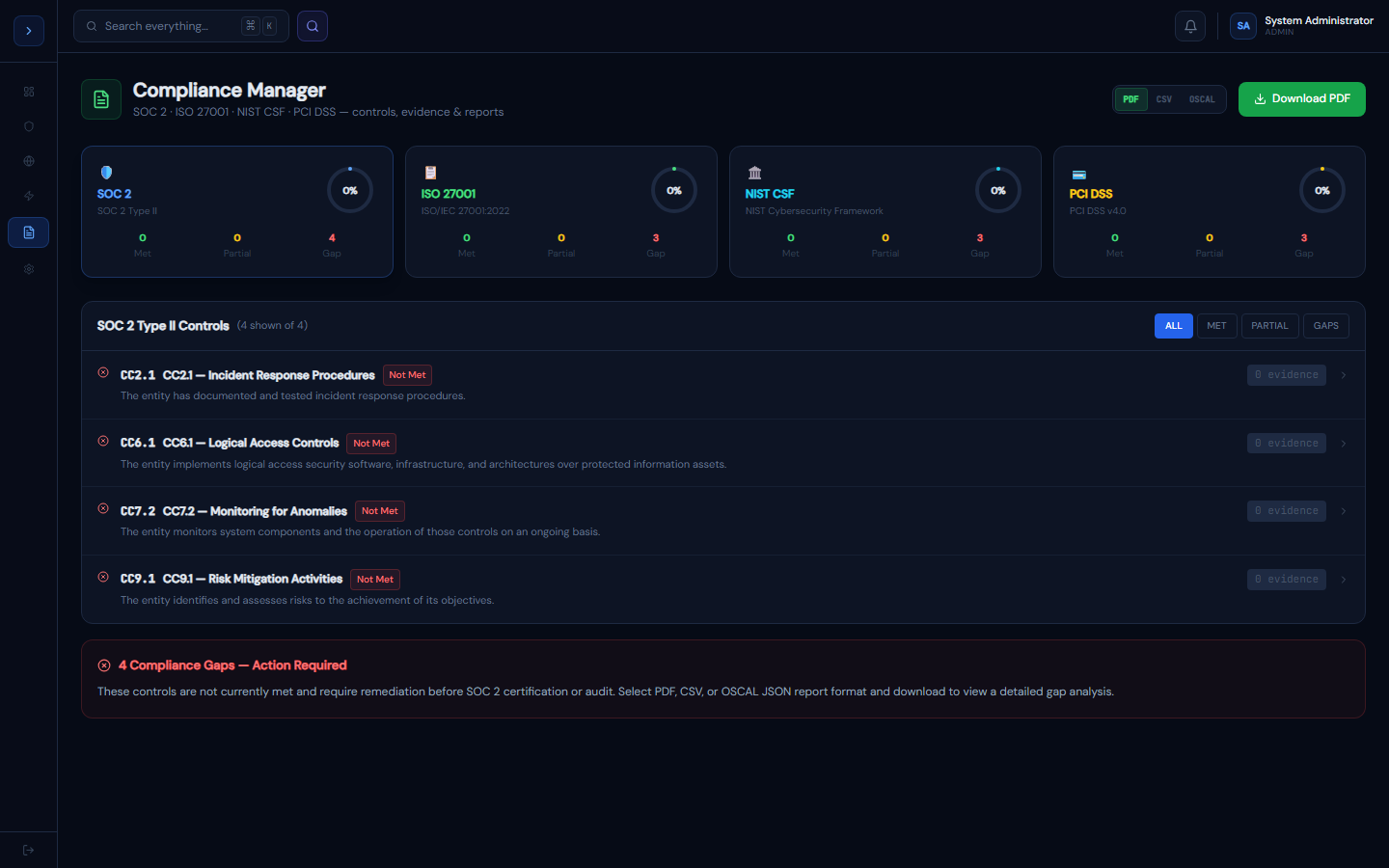
How it works
OverviewHow the Compliance Manager Works
GuardFox Security Systems maps your active security controls to four major frameworks:
| Framework | Controls | Use case |
|---|---|---|
| SOC 2 Type II | 40 | SaaS vendors, cloud providers |
| ISO/IEC 27001:2022 | 110 | International security certification |
| NIST CSF | 68 | US federal, critical infrastructure |
| PCI DSS v4.0 | 131 | Payment card processing |
How controls are mapped
Each framework control is evaluated against live data from your GuardFox Security Systems platform:
- Met — control is actively satisfied by a platform feature with evidence
- Partial — some aspects covered, gaps remain
- Not Met — no evidence found — requires remediation
- N/A — control not applicable to your deployment
Evidence items
Each control lists specific evidence items pulled from the platform (e.g., "NextAuth.js RBAC middleware active", "Audit log captures all privileged actions"). These are used directly in audit evidence packages.
Generating evidence reports
How to useGenerating Evidence Reports
- Select your framework (SOC2, ISO27001, NIST CSF, or PCI DSS)
- Click Generate Evidence Report (top right)
- GuardFox Security Systems compiles:
- Executive summary with coverage score
- Control-by-control status table
- Evidence items with timestamps
- Gap analysis with remediation recommendations
- Download the PDF — ready for auditors or internal review
Preparing for an audit
- Run the report 2–4 weeks before your audit date
- Review the Gaps section — controls with "Not Met" status
- Address gaps or document risk acceptance for each
- Re-run the report to verify improvement
- Export final version for auditor delivery
Keeping evidence current
Evidence items are re-evaluated daily. Check the "Last Verified" timestamp on each control — items older than 30 days should be re-verified manually.