Attack Surface Management
Passive external asset discovery, exposure scoring, and continuous monitoring via crt.sh, Shodan, DNS, and RDAP.
Route:
/attack-surface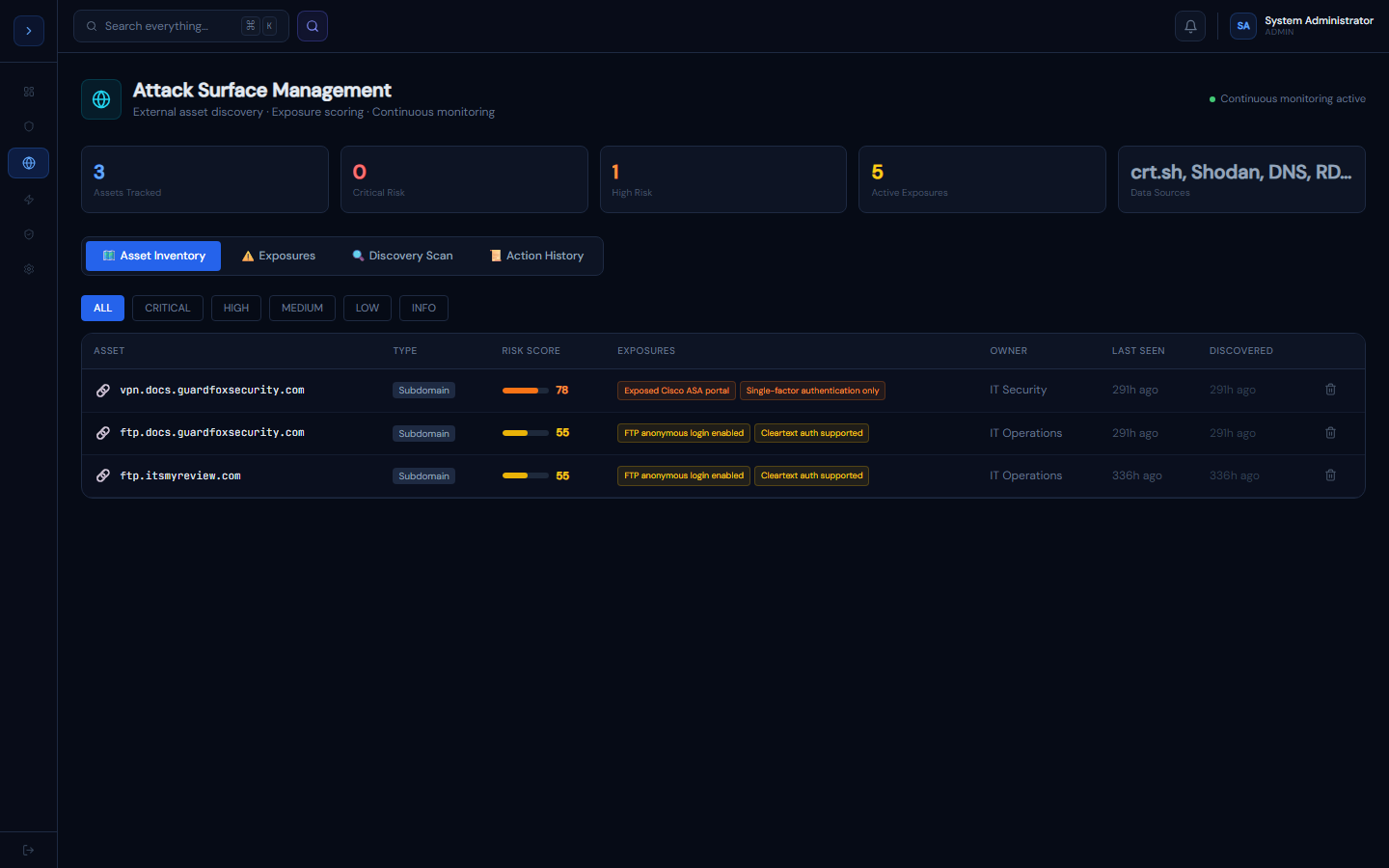
How it works
OverviewHow Attack Surface Management Works
GuardFox Security Systems uses passive, non-intrusive techniques to discover and monitor your external attack surface. No active scanning or exploitation — only data that is already public.
Discovery sources:
| Source | What it finds |
|---|---|
| crt.sh | All certificates issued for your domain (reveals subdomains) |
| Shodan | Open ports, banners, vulnerabilities on your IPs |
| DNS enumeration | A, AAAA, MX, TXT, SPF, DMARC records |
| RDAP / WHOIS | Domain registration, ASN ownership |
| HTTP headers | Security headers, server version disclosure |
| TLS check | Cert expiry, cipher suites, TLS version |
Continuous monitoring
Once an asset is discovered, GuardFox Security Systems rescans it every 24 hours and alerts you when:
- A new exposure appears
- A certificate is about to expire (<30 days)
- A new subdomain appears on your domain
- An open port changes
Running a discovery scan
How to useRunning a Discovery Scan
- Go to Threat Analysis → Attack Surface → 🔍 Discovery Scan
- Enter your domain (e.g.,
company.com) or IP range (e.g.,192.168.1.0/24) - Click Start Scan
- Progress updates in real-time — results appear in Asset Inventory when complete
What to scan first
Start with your primary domain. A typical scan for a mid-size company finds:
- 15–50 subdomains via certificate transparency
- 5–15 with open ports or web services
- 2–5 with active exposures (missing headers, weak TLS, etc.)
Shodan API key (optional)
A free Shodan account includes limited lookups. For continuous monitoring:
- Create account at shodan.io
- Go to Account → API Key
- Add in Settings → Integrations → Shodan API Key