Notification Bell
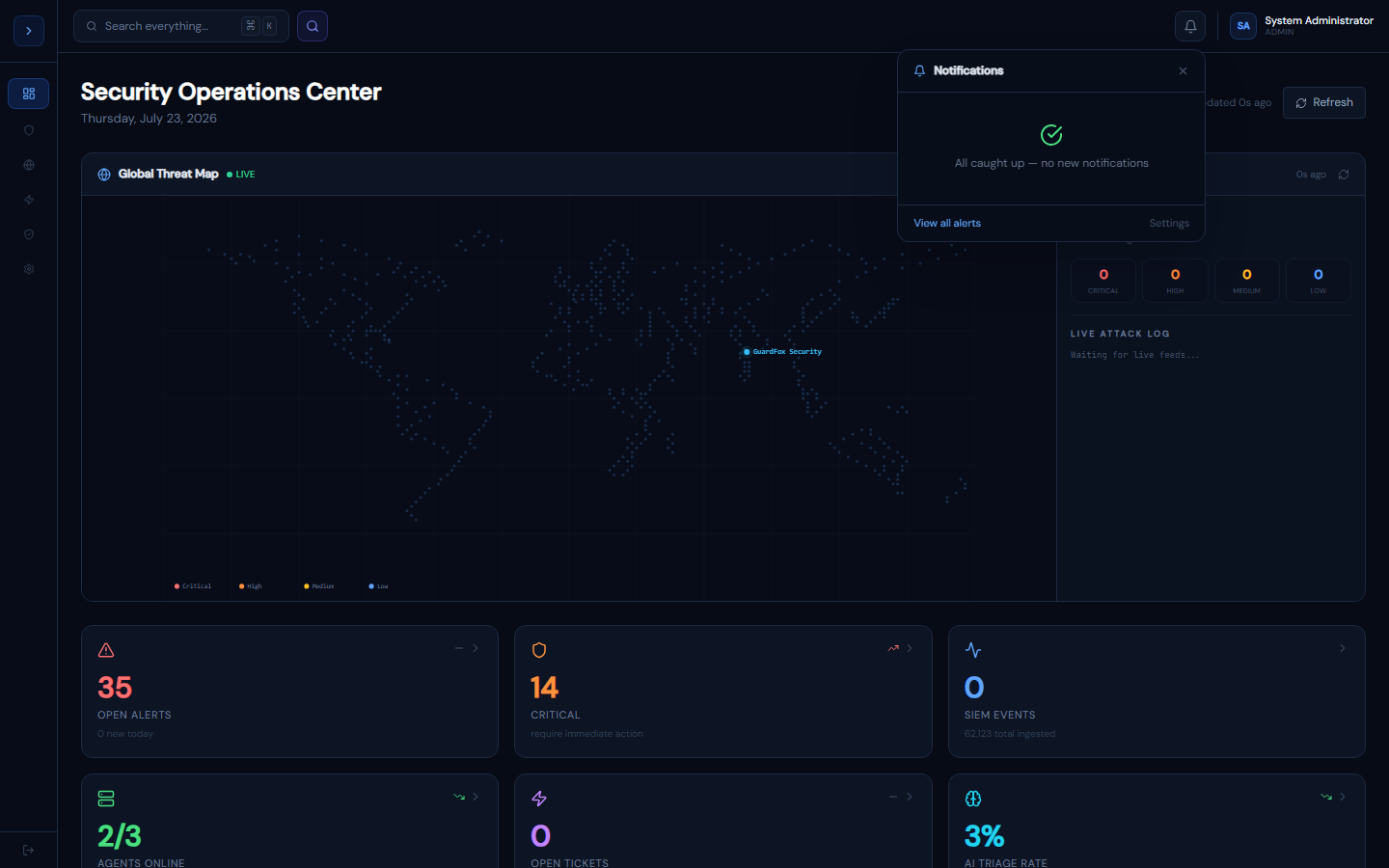
Real-time notification bell in the header. Polls for new Critical/High alerts and EDR events every 30 seconds. Shows unread count badge.
Route:
/
How notifications work
OverviewHow Notifications Work
The notification bell (🔔) in the header polls /api/notifications every 30 seconds. It surfaces:
- New Critical and High alerts from the last 24 hours
- Critical and High EDR detections from the last 24 hours
Each notification shows: type icon, title, body (source/agent), relative time, and a View link to the relevant page.
Unread count
The red badge shows the total count of unread notifications. Clicking a notification marks it as read. Mark all read clears the badge.
Polling behaviour
- Starts polling immediately on component mount
- Polls every 30 seconds in the background
- Pauses if the tab is hidden (browser optimization)
- Resumes when the tab becomes visible again
Where the bell lives
Add it to your layout header alongside GlobalSearch:
// app/layout.tsx or components/Header.tsx
import NotificationBell from '@/components/NotificationBell';
import GlobalSearch     from '@/components/GlobalSearch';

<header>
  <GlobalSearch />
  <NotificationBell />
</header>